AI Training & Literacy
The Evolution of AI Video Generation, and a Video Claude Made From One Prompt
Key takeaways
- AI video generation went from silent, few-second research demos in 2022 to 4K clips with generated sound by 2025. Google's Veo 3 added native audio in May 2025, and by 2026 Google's Gemini Omni could turn almost any input into video.
- The field is volatile: OpenAI shut down Sora, the best-known video model, closing its app in April 2026 and its API in September 2026, less than two years after the public launch.
- Claude does not generate video pixels. It makes video by writing code (an HTML canvas animation or a Remotion project) that a renderer turns into an MP4, which suits motion graphics, explainers and branded templates rather than realistic footage.
- Code-generated video has advantages diffusion models lack: text is always legible, Devanagari renders correctly, brand colours are exact, and changing one line of a prompt regenerates the whole video consistently.
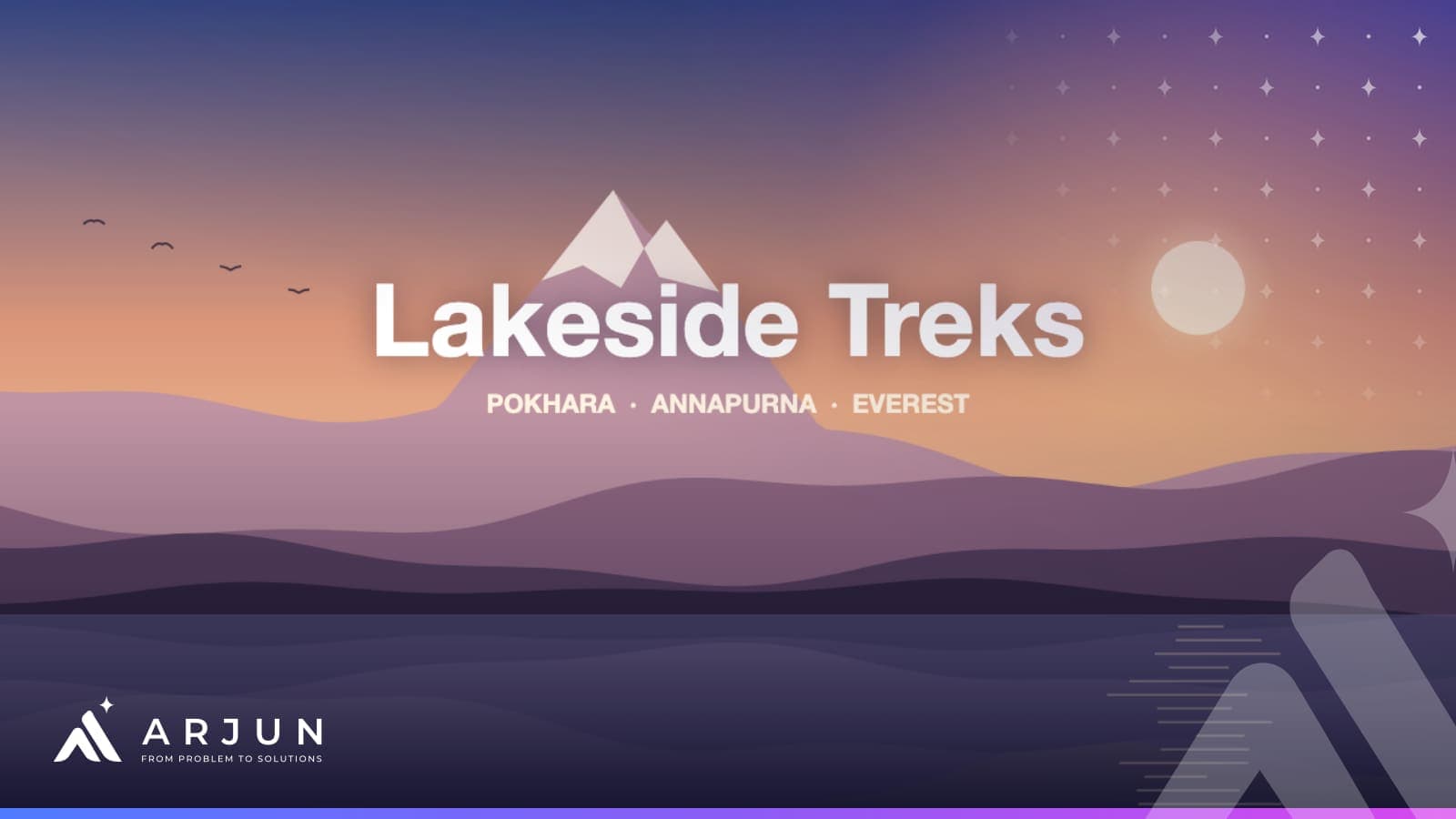
- The 15-second promo on this page was made by Claude from a single prompt: every frame drawn by code Claude wrote, rendered to a 720p MP4 of about 720 KB, with no stock footage, images or editing software.
Four years ago, an AI-generated video was a few seconds of melting, silent blur that impressed researchers and nobody else. Today a marketing team can type a paragraph and get a 4K clip with sound. And in the same period, the best-known video model in the world launched, went viral and was shut down.
This post traces how AI video generation evolved, explains the two very different ways AI now makes video, and shows a complete promo video that Claude produced from one prompt. The prompt is included so you can try it yourself.
From research demo to 4K with sound: a timeline
| When | Milestone | Why it mattered |
|---|---|---|
| Sep–Oct 2022 | Meta's Make-A-Video and Google's Imagen Video | First convincing text-to-video research: a few seconds, low resolution, no sound |
| Mar 2023 | Runway Gen-2 | Text-to-video reaches the public through a product anyone could use |
| Feb 2024 | OpenAI previews Sora | Up to a minute of coherent footage; the moment the wider world noticed |
| Jun 2024 | Kling and Runway Gen-3 Alpha | Serious competition, including from China |
| Dec 2024 | Sora launches publicly; Google releases Veo 2 | Mainstream access to high-quality generation |
| May 2025 | Google Veo 3 adds native audio | Dialogue, effects and music generated with the picture |
| Jun 2025 | Midjourney's first video model | Image-to-video for the design community |
| Sep–Oct 2025 | Sora 2 with its own app; Veo 3.1 | Social-style video creation; longer, more controllable scenes |
| Jan 2026 | Remotion publishes Agent Skills for Claude Code | Code-generated video becomes a mainstream way to make motion graphics |
| Mar–Sep 2026 | OpenAI discontinues Sora: app closed in April, API in September | A reminder that no AI tool is permanent |
| May–Aug 2026 | Google's Gemini Omni Flash, then Omni 1.1 with clip extension and 4K upscaling | "Any input to video" inside the Gemini app and Flow |
Three things improved, roughly in this order: coherence (objects that stay the same object from frame to frame), control (camera moves, first and last frames, consistent characters) and sound. What has not improved as much is text. Generative models still draw letters as pixels, which is why signs, captions and logos in AI footage so often come out garbled.
Two ways AI makes video
This is the distinction most articles miss, and the one that decides which tool you should use.
Generative video: painting pixels
Veo, Gemini Omni, Kling, Runway and (until this year) Sora are diffusion-style models. They start from noise and paint every frame, guided by your prompt. They are extraordinary at realistic scenes: a drone shot over Phewa Lake, a chef plating momos, rain on a tea garden.
Their weaknesses are the flip side of that. You cannot edit one element without regenerating the clip, results vary from run to run, clips are short (typically around eight to ten seconds before extension), and text and logos are unreliable.
Code-generated video: writing the animation
Claude works differently. It does not generate video pixels at all. It writes code that draws the video: an HTML canvas animation, an SVG sequence or a Remotion project built in React. A renderer then plays that code frame by frame and saves it as an MP4. Claude Code can run that rendering step itself.
The result looks like motion graphics rather than filmed footage. In exchange you get things generative models cannot offer:
- Text is always perfect, including Devanagari, because it is rendered with a real font.
- Brand colours and fonts are exact, not approximated.
- Every element is editable. Change the phone number, the dates or the headline and re-render; nothing else shifts.
- It scales. One template can produce fifty variants, one per product, route or branch, each consistent with the others.
A video Claude made from one prompt
To show what this looks like in practice, I gave Claude the prompt below and nothing else: no images, no footage, no template. The business is fictional.
Make a 15-second, 16:9 animated promo video for a fictional Pokhara trekking company called Lakeside Treks.
Scene 1 (0–4s): dawn over layered Himalayan ridges with a fishtail-shaped peak, the sun rising behind them, slow parallax, birds crossing, and the ridges reflected in a lake at the bottom. The title "Lakeside Treks" rises in, with "Pokhara · Annapurna · Everest" underneath.
Scene 2 (4–9s): three benefit lines slide in one after another, each with a tick: "Licensed local guides", "Permits handled for you", "Small groups, fair prices".
Scene 3 (9–13s): a phone slides up showing a WhatsApp-style chat. A customer asks whether Annapurna Base Camp is open in November; typing dots; an instant reply with season, two departure dates and trip length; the customer replies "Yes please!". Beside the phone: "Ask anything. Get an answer in seconds."
Scene 4 (13–15s): end card with a simple mountain logo, the name, a green "Book on WhatsApp" button and a placeholder phone number.
Warm dawn palette, clean sans-serif type, smooth easing, no stock footage or images. Write it as a single HTML file with a canvas, where every frame is a pure function of time, so it can be rendered frame by frame to MP4.
And this is the result:
How it was made
- Claude wrote the animation: a single HTML file of about 350 lines that draws each frame on a canvas: the sky gradient, the sun, four parallax ridges, the reflection, the birds, the text and the phone chat.
- Claude Code rendered it: it opened the file in a headless browser, captured all 450 frames (15 seconds at 30 frames per second) and encoded them with ffmpeg into an H.264 MP4.
- Review and two rounds of fixes. The first render had the sun sitting behind the title, a half-empty phone screen and chat text too small to read on a phone. I described the problems in plain English, Claude changed the code, and the video was re-rendered. That review step is the part a human should never skip.
From prompt to final file took minutes, not days. And because the video is code, making a version for a different trek, with Nepali text or a real phone number, is a one-line change and a re-render.
What this approach is not good for
To be clear about the limits: this approach will not give you a realistic shot of trekkers on a trail, a guide's face, or a hotel room. For those, use a generative model, or better, a real photographer. Code-generated video is for explainers, announcements, offers, data stories, social posts and templated content, which is a large share of what small businesses actually post.
Which approach for which job
| Job | Best approach |
|---|---|
| Realistic scene: places, people, products in use | Generative video (Veo, Gemini Omni, Kling, Runway) |
| Explainer, offer, announcement, how-it-works | Code-generated (Claude with HTML or Remotion) |
| Anything with a lot of text or Nepali script | Code-generated, or generative footage with a text overlay added afterwards |
| Fifty versions of the same video | Code-generated template plus an automation |
| Brand film or testimonial | A real crew; AI for storyboards and b-roll at most |
What this means for businesses in Nepal
For tourism, hospitality, education and retail, the businesses that post the most video in Nepal, the cost of a decent short promo has dropped from a production day to an afternoon. That does not mean every business should flood social media with AI clips; audiences already scroll past generic ones. It means the businesses that combine real photography of real places with fast, well-made AI motion graphics can post consistently without a production budget.
The skill that matters is no longer editing software. It is writing a clear brief, the same skill as writing a good prompt, and having the judgement to reject a result that is not good enough.
How I can help
I help businesses use AI video in three ways:
- Branded templates. A set of code-generated video templates in your colours and fonts, for offers, announcements and seasonal campaigns, as part of a digital marketing engagement.
- Video at scale. Automations that turn a spreadsheet of products, routes or courses into a finished video for each, using the template approach shown above.
- Training your team. A practical session for marketing and communications staff on briefing generative tools and Claude, reviewing output and staying on the right side of copyright and disclosure. It is the creative-team version of my AI training.
If you want a video like the one above for your own business, or want your team to be able to make them, send me a message with what you would like to promote.
Questions
Can Claude generate videos?
Not in the way Veo or Kling do. Claude has no model that paints video frames from noise. It makes videos by writing code, usually an HTML animation or a Remotion project, which is then rendered to MP4. Claude Code can run the rendering step itself. The result is motion graphics, explainers and animated text rather than realistic filmed footage.
Which AI video tool should a business use?
It depends on what the video shows. For realistic scenes with people, places or products, use a generative model such as Google's Veo or Gemini Omni, or Kling or Runway. For explainers, announcements, data animations and anything with a lot of text, code-generated video from Claude is more controllable and keeps text legible. Many campaigns use both.
Can AI video tools show Nepali text correctly?
Code-generated video can, because the text is rendered with a real Devanagari font, exactly as on a web page. Generative video models draw text as pixels and have historically struggled with any lettering, especially non-Latin scripts. If Nepali text matters, add it as an overlay afterwards, or use a code-based approach for those scenes.
Can you help us produce AI videos for marketing?
Yes. I help businesses set up AI video workflows: branded animation templates generated by Claude, prompts and review steps for generative tools, and automations that produce dozens of variants from one template, such as one per product or route. I also train marketing teams to run these workflows themselves.